



QMC Student Guide >>
Term Dates 2026-2027
Nationally set examinations and assessments take place throughout the College year and cannot be changed. Do not take holidays during term time.
Term Dates 2026-2027
Autumn Term 2026
1 September – 18 December (second year students start on 3 Sept, first year students start on 8 Sept)
OctoberHalf Term
26 October-30 October
Christmas Break
21 December – 1 January
Spring Term 2027
4 January – 25 March
February Half Term
15 February – 19 February
Easter Break
26 March – 9 April
Summer Term 2027
12 April – 9 July
Half Term
31 May – 7 June
Bank Holidays 2026-2027
Good Friday – 26 March 2027
Easter Monday – 29 March 2027
May Day – 3 May 2027
Spring – 31 May 2027
Summer – 30 August 2027
Inset Days 2026-2027
10-11 November 2026
18th December 2026
4 January 2027
9th July 2027
Key Dates 2026-2027
Tuesday 13th October – Year 1 Progress Morning (please see your student email for details)
Thursday 5th November – 2nd Years Online Making The Grade Parent Evening (5pm)
Tuesday 10 & Wednesday 11 November: Inset Days
Friday 13 November – Friday 20 November: Year 2 Mock A Level Examinations (Classes continue for Year 1 and Year 2 Extended Diploma students)
Monday 8- Sunday 14 February: National Apprenticeship Week
Thursday 4 March: Careers and Apprenticeships Fair
Wednesday 7th – Friday 9th July 2027 -Work Experience 1st Years
Student Portal
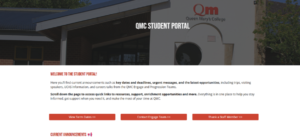
On the student portal you will find information, guides and support on careers, wellbeing, EDI, enrichment opportunities and more. You will also see adverts for activities going on in the college. Using your QMC login details, students can access the Student Portal here
QMC App
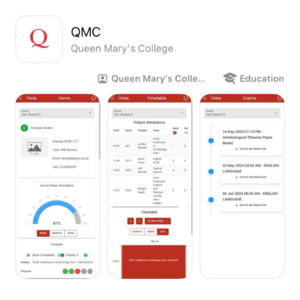



We are excited to introduce our new QMC app which allows you to view important information such as timetables, key calendar dates and exam information. It enables you to monitor your attendance, progress and receive communications from the college.
- Use the links above or search QMC Basingstoke in the App Store, Google Play or Microsoft Store
- Open the QMC app and click “Login”.
- When presented with the Microsoft login screen enter your student email and password.
- If you have trouble logging in, please contact it.support@qmc.ac.uk
If you have any issues once logged into the app, you can use the feedback option in the menu or email mis.support@qmc.ac.uk
Student Email
Now you can have Outlook-powered email, calendars, document sharing, and IM, all from your @qmc.ac.uk account.
Students can login to Student Outlook Mail here