




QMC Student Guide >>
Term Dates 2026-2027
Nationally set examinations and assessments take place throughout the College year and cannot be changed. Do not take holidays during term time.
Term Dates 2026-2027
Autumn Term 2026
1 September – 18 December (second year students start on 3 Sept, first year students start on 8 Sept)
OctoberHalf Term
26 October-30 October
Christmas Break
21 December – 1 January
Spring Term 2027
4 January – 25 March
February Half Term
15 February – 19 February
Easter Break
26 March – 9 April
Summer Term 2027
12 April – 9 July
Half Term
31 May – 7 June
Bank Holidays 2026-2027
Good Friday – 26 March 2027
Easter Monday – 29 March 2027
May Day – 3 May 2027
Spring – 31 May 2027
Summer – 30 August 2027
Inset Days 2026-2027
10-11 November 2026
18th December 2026
4 January 2027
9th July 2027
Key Dates 2026-2027
Thursday 13 August 2026 – A Level/L3 Results Day (available to collect from QM Hall from 8.30am)
Thursday 20 August 2026 – GCSE Results Day
Friday 21, Monday 24, Tuesday 25, Wednesday 26 – Enrolment (by appointment only)
Thursday 3 & Friday 4 September – 2nd Years on timetable (timetables will be sent by 2.9.26 at the latest)
Monday 7 September 2026 – College Closed to Students
Tuesday 8 September 2026 – 1st Year Induction Day starting at 10:40am. Year 2 remote UCAS/Statement prep work.
Wednesday 9 September 2026 – All students on full Timetable
Tuesday 15 September 2026 – Online 1st Year Meet the Tutor
Wednesday 23 September & Thursday 24 September 2026 – Open Evenings
Friday 25th September 2026 – College closed to students
Thursday 5th November – 2nd Years Online Making The Grade Parent Evening (5pm – Link to follow)
Wednesday 7th – Friday 9th July 2027 -Work Experience 1st Years
Student Portal
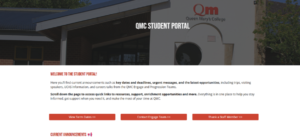
On the student portal you will find information, guides and support on careers, wellbeing, EDI, enrichment opportunities and more. You will also see adverts for activities going on in the college. Using your QMC login details, students can access the Student Portal here
QMC App
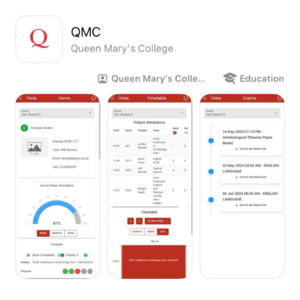



We are excited to introduce our new QMC app which allows you to view important information such as timetables, key calendar dates and exam information. It enables you to monitor your attendance, progress and receive communications from the college.
- Use the links above or search QMC Basingstoke in the App Store, Google Play or Microsoft Store
- Open the QMC app and click “Login”.
- When presented with the Microsoft login screen enter your student email and password.
- If you have trouble logging in, please contact it.support@qmc.ac.uk
If you have any issues once logged into the app, you can use the feedback option in the menu or email mis.support@qmc.ac.uk
Student Email
Now you can have Outlook-powered email, calendars, document sharing, and IM, all from your @qmc.ac.uk account.
Students can login to Student Outlook Mail here